Building Planner Program
* Site Plan * Floor Plan * Elevation * Section * …just in a minute
-
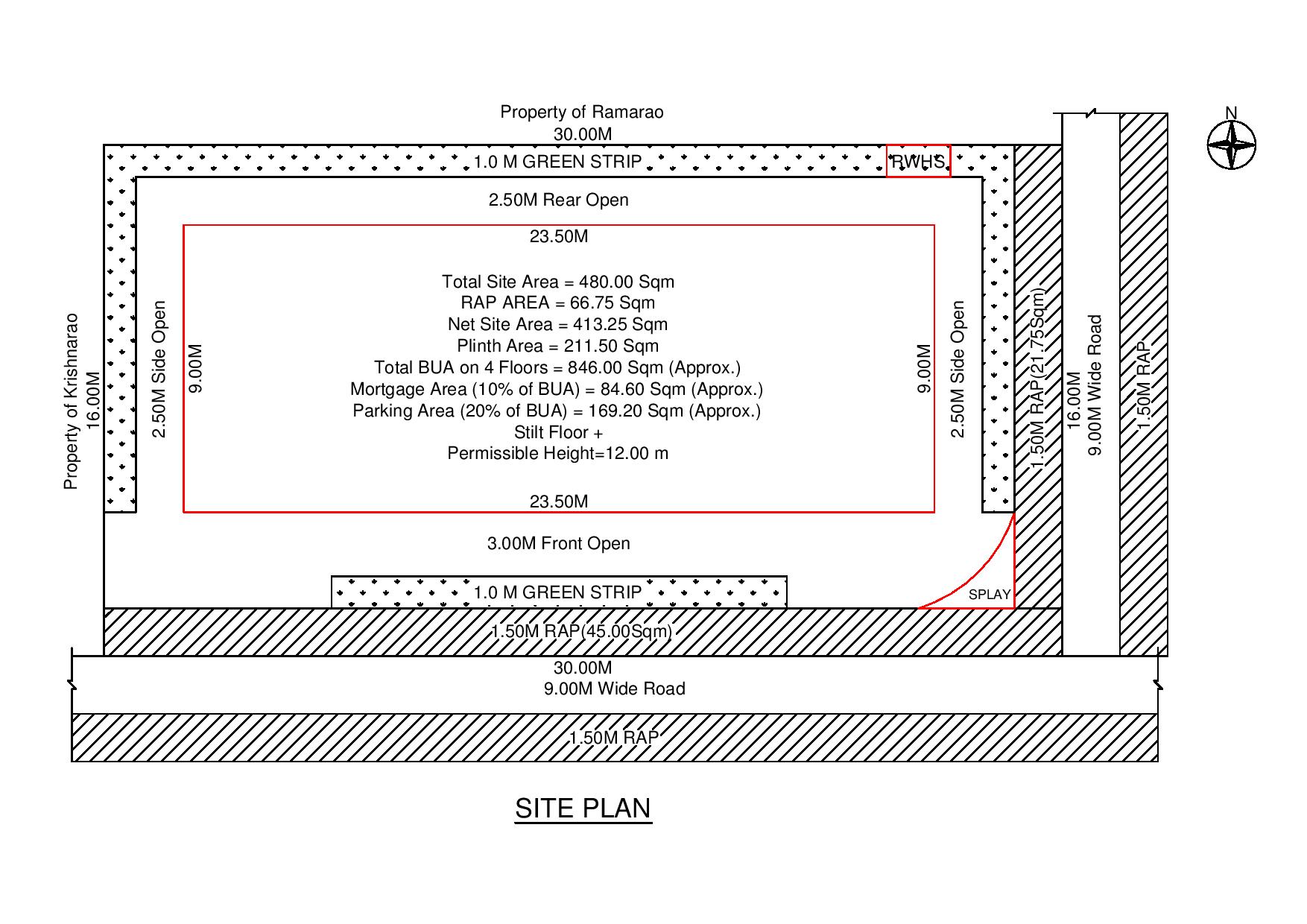
Building Planner Program is useful to create Building Plan Approval Drawing as per GO 119.
-
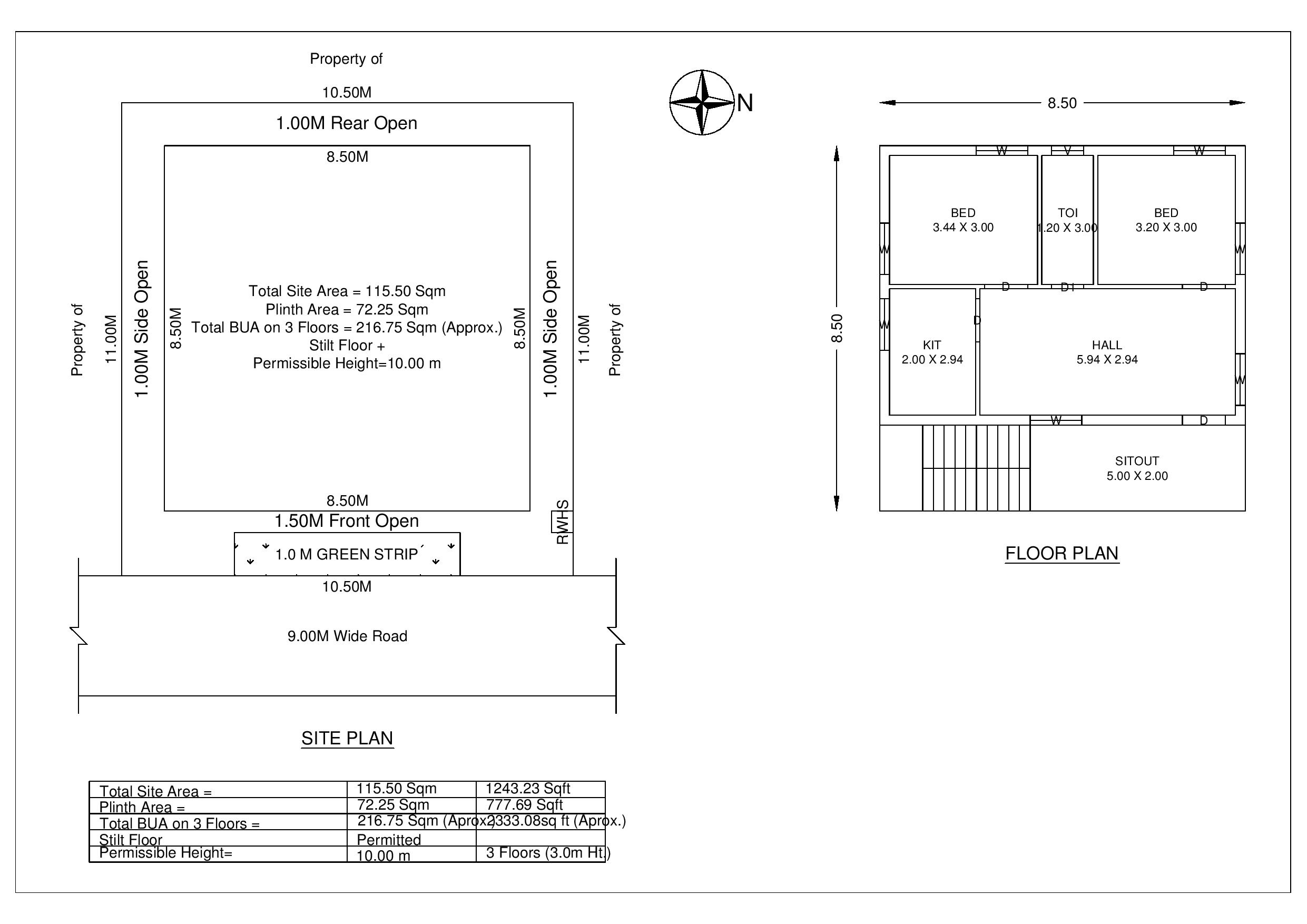
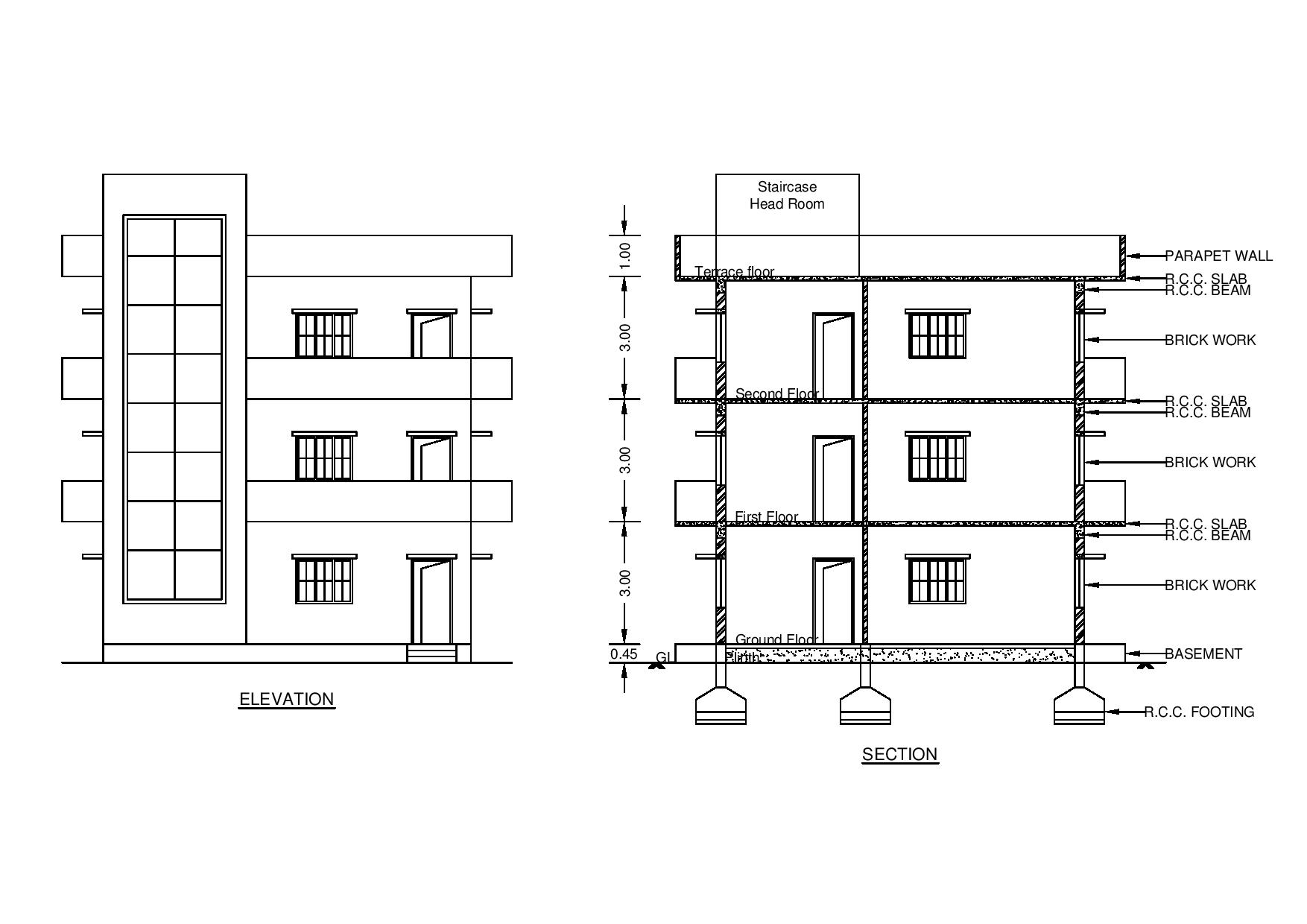
This Program can generate Site Plan, Elevation, Section, and Title Block within a minute in AutoCAD.
Features in command 1 (Site Plan):
- Complete Site Plan with setbacks as per GO 119 (Useful for PreDCR)
- Floor Plan for plinth area up to 120 Sqm. (Useful for PreDCR)
- North direction symbol
- Green Strip (Green strip will be drawn in site plan as per Site Area)
- Transfer setback (Based on Site Area, we can transfer setback from one side to another side)
- Tot-Lot area (Based on Site Area, Tot-Lot area will be calculated)
- Mortgage Area (Based on total Built-up area on all floors Mortgage Area will be calculated)
- Parking Area (Based on category of building & Location (Corporation/Non Corporation)
- Possible number of floors
- Total Built-up area on all floors
- Splay at road junctions (Based on road widths)
- Rain water harvesting
- Distribution Transformer (Based on site area)
- User Setbacks (Give your own setbacks in Site Plan)(Option)
- Varying Road Widths can be provided for Existing Road, accordingly RAP will be drawn
Features in command 2 (Elevation & Section):
- Complete Elevation & Section with all details (Useful for PreDCR)
- RCC Roof & AC/GI Sheet Roof (Single slope / Double slope) for sheds Option
- Pile Foundation & Flat Foundation Option
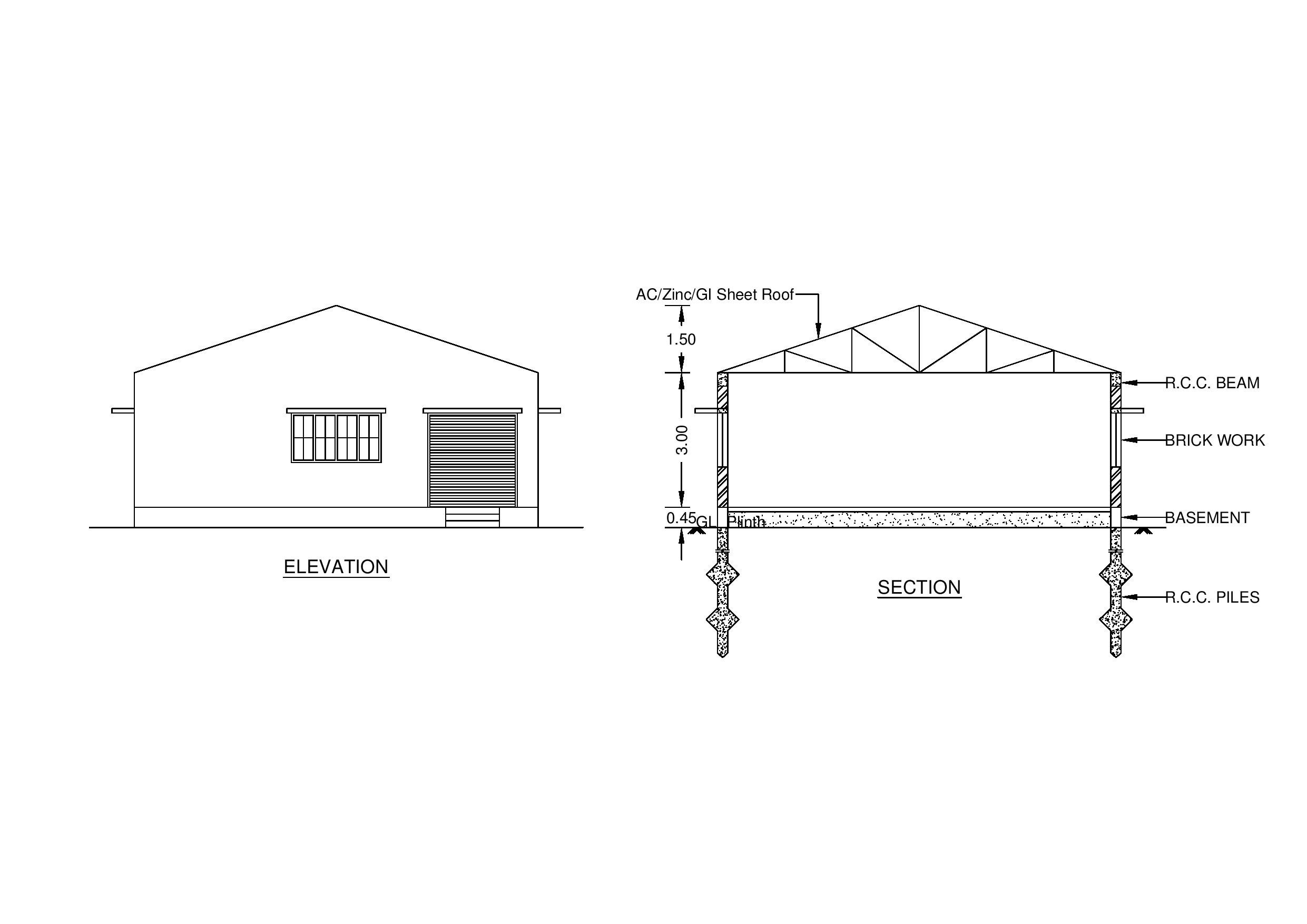
Features in command 3 (Title Block):
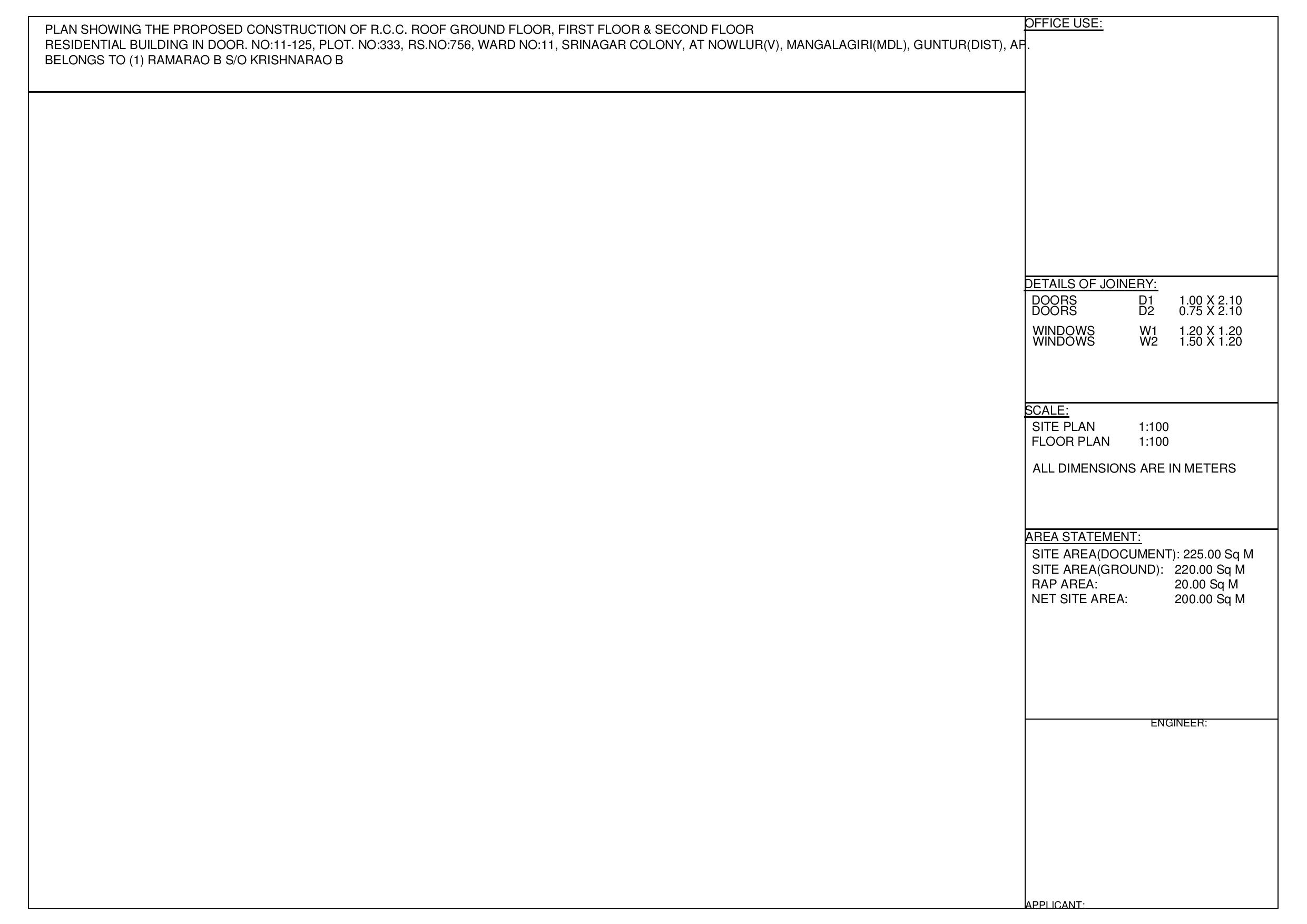
- Complete Title Block with all details
- Paper Size Option (A0, A1, A2, A3 & A4)
- Door Number, Plot Number, L.P. Number, Block Number, Ward Number, Street/Layout, Zone, Village, Mandal, District & State Information in Title.
- Multiple Owner names in Title (Option)
- Joinery details as per user input
Limitations in Building Planner Program:
- Site Plan can be created for plots with four sides only.
- Program can generate Model Floor Plan for Plinth Area up to 120 Sqm.
Civil CAD Software for Engineers & Planners
Smart Automation Tools for Civil & Infrastructure Design
Our Civil CAD software is designed to help civil engineers, planners, and consultants create accurate drawings faster, with minimal manual effort. Built specifically for real-world engineering workflows, our tools automate repetitive drafting tasks while ensuring compliance with applicable standards and regulations.
Key Features
🚀 Automated Drawing Generation
- Instantly generate plans, elevations, sections, and details
- Reduces manual drafting time by up to 70–80%
- Ensures consistent and error-free drawings
📐 Engineering Accuracy
- Parametric inputs based on engineering data
- Automatic dimensioning and labeling
- Eliminates common drafting mistakes
🏗️ Civil & Infrastructure Focused
- Tailor-made for buildings, roads, drainage, and culverts
- Suitable for government approvals and tender drawings
- Supports both pipe culverts and box culverts
⚙️ Customizable Workflows
- Flexible inputs based on project requirements
- Easy customization for local standards and client needs
- Designed for Indian civil engineering practices
Our Civil CAD Software Solutions
🏢 Building Planner Automation Tool
- Automatically generates:
- Site Plan
- Floor plan
- Elevation
- Section
- Ideal for building plan approval submissions
- Saves hours of drafting work per project
🌉 Culvert Drawing Generator
- Automated drawings for:
- Pipe culverts
- Box culverts
- Produces standard-compliant drawings
- Ideal for roads, irrigation, and infrastructure projects
Who Can Use This Software?
- Civil Engineers
- Structural Consultants
- Planning Consultants
- CAD Drafting Professionals
- Infrastructure & Construction Firms
Benefits
✔ Faster project delivery
✔ Reduced drafting effort
✔ Improved drawing quality
✔ Consistent outputs across projects
✔ Cost-effective annual subscription
Subscription Model
Our software is available on an annual subscription basis, making it affordable and scalable for individuals and organizations.
- Regular updates
- Technical support
- Feature enhancements
Why Choose CyberCAD Solutions?
At CyberCAD Solutions, we specialize in custom CAD automation tools for civil engineering applications. Our solutions are developed by engineers, for engineers—focused on productivity, accuracy, and practical usability.